
Bank Reconciliation Statement Format: Free Sample Excel Download
A bank reconciliation statement format is a simple statement used to match your bank statement balance with your books balance on a specific date. It helps you find missing entries, wrong postings, and timing differences like cheques not cleared. A clean BRS in Excel is the fastest way to control cash, avoid errors, and close month end accounts smoothly.
India’s No.1 GST Billing & Accounting Software
check_circleLightning-Fast Billing with Barcode scanning
check_circleAuto E-Way Bill & E-Invoicing
check_circleMobile App
check_circleComplete Accounting
check_circleAdvanced Inventory Management
check_circleAuto Payment Reminders
check_circle1-Click GST Filing & Reconciliation
check_circle24*7 support
Download Bank Reconciliation Statement Format in Excel
Download the free bank reconciliation statement format in Excel. Customise it as per your requirements at no cost.
Why Bank Reconciliation Statement Format Needed?
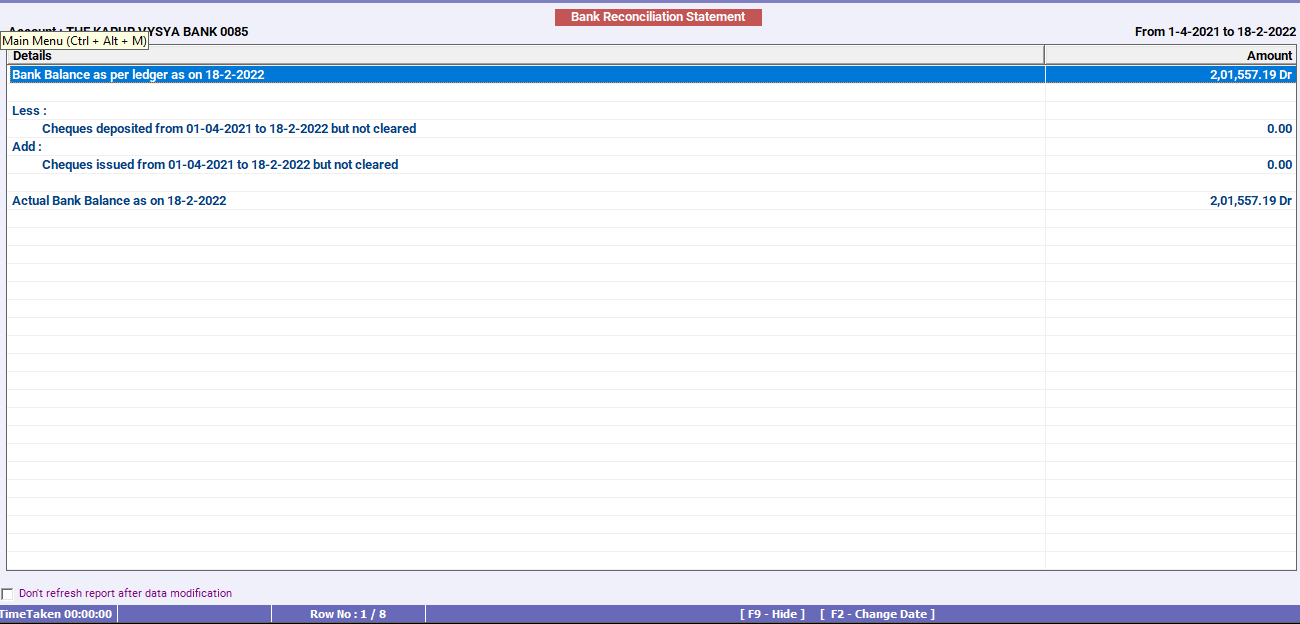
A bank reconciliation statement format (also called bank reconciliation format or BRS format) is a simple layout used to match your bank balance as per your books with the balance shown in your bank statement. Many times, both balances do not match because some transactions get recorded in one place first, or they get cleared after a delay.
A BRS is needed to spot bank charges, interest credits, and UPI related charges that may not be entered in your books yet. It also helps you track cheques you deposited that are still not cleared, and payments you issued that are pending clearance. On top of that, it helps catch wrong entries in your books, so your accounts stay clean and reliable, which is important during audits and when you apply for loans.
Bank reconciliation statement template: key fields to include
A good bank reconciliation statement template should include:
- Date of reconciliation
- Bank name and account number
- Balance as per bank statement
- Add items
- Less items
- Balance as per books
- Prepared by and checked by
Bank Reconciliation Format Explained with a Quick Calculation
A small worked BRS example that shows how pending cheques and bank charges change the final balance in your books.
Balance as per bank statement: ₹2,00,000
Add: Cheque issued but not presented: ₹25,000
Less: Bank charges not entered in books: ₹500
Less: Cheque deposited but not cleared: ₹10,000
Balance as per books (expected): ₹2,00,000 + ₹25,000 - ₹500 - ₹10,000 = ₹2,14,500
This final balance, ₹2,14,500, should match your bank ledger balance in books after you record the missing entries.
Quick checklist before you finalise BRS
- Use the same cut-off date for both the bank statement and your books.
- Check that the opening balance matches the last reconciled closing balance.
- Match the bank statement with your bank ledger line by line for the period and tick all matching entries.
- List all timing differences clearly, like cheque issued but not presented and cheque deposited but not cleared.
- Check bank only entries that are not in books yet, such as bank charges, interest, direct debit, standing instructions, UPI or IMPS charges, cheque return charges, and ECS or NACH transactions.
- Post missing entries in your books first, then prepare the BRS on the updated ledger.
- Check for common book errors like double entry, wrong amount, wrong date, wrong party, or entry on the wrong side, and fix them before closing.
- Review old pending items that are still uncleared for a long time and follow up, reverse, or reissue where needed.
- If you suspect a bank mistake, do not adjust your books immediately. Keep it as a reconciling item and raise it with the bank
- Confirm the final reconciled balance matches the bank ledger balance in your books after all updates.
- Keep proof safely for audit and loan use, including bank statement, BRS working, pending list, and who prepared and checked it.
Explore Accounting & Billing Software for Small Businesses
Frequently Asked Questions
-
What is a bank reconciliation statement format used for?
It is used to match bank balance with book balance. It helps you find timing differences and missing entries so your bank ledger stays accurate.
-
What is the meaning of brs format?
BRS format means bank reconciliation statement format. It is the standard layout that shows bank statement balance, adjustments, and book balance as on a specific date.
-
Is a bank reconciliation statement required every month?
It is strongly recommended every month. Monthly reconciliation helps you catch errors early and makes year end closing much easier.
-
What is the difference between bank reconciliation format and reconciliation statement format?
Both usually mean the same thing in this context. Bank reconciliation format is a type of reconciliation statement format used specifically for bank accounts.
-
What should I do if balances do not match even after BRS?
Recheck missed entries and wrong postings first. Look for bank charges, interest, EMI, and UPI payments. Also check duplicate entries or entries posted to the wrong bank account.
-
Can I use a bank reconciliation statement template in Excel?
Yes, Excel is one of the easiest tools for BRS. It helps you track each difference, keep a pending list, and update every month without rewriting the statement.