
Sales Order Format Sample, Structure, and Correct Usage for Businesses
Many SMEs confirm orders over the phone or on WhatsApp and keep dispatching goods. Due to this negligence, customers may deny the delivered quantities, prices, or delivery timelines. This usually happens when there is no proper sales order format in place. If the information is Incorrect or any detail is missing, delivery and order execution will be hampered. In this guide, you will learn what a sales order is, when to use it, its mandatory fields, common mistakes, a sample sales order format, and how to create it correctly for smooth business operations.
India’s No.1 GST Billing & Accounting Software
check_circleLightning-Fast Billing with Barcode scanning
check_circleAuto E-Way Bill & E-Invoicing
check_circleMobile App
check_circleComplete Accounting
check_circleAdvanced Inventory Management
check_circleAuto Payment Reminders
check_circle1-Click GST Filing & Reconciliation
check_circle24*7 support
What is Sales Order Format, and When Is It Used?
A sales order is a document issued after a customer confirms a quotation or a pro forma invoice. It officially records what the customer has agreed to buy. Businesses use sales orders to plan production, reserve stock, schedule dispatch, and prepare invoices. For example, once a distributor confirms an order, a sales order ensures the same quantity and price are followed during delivery and billing.
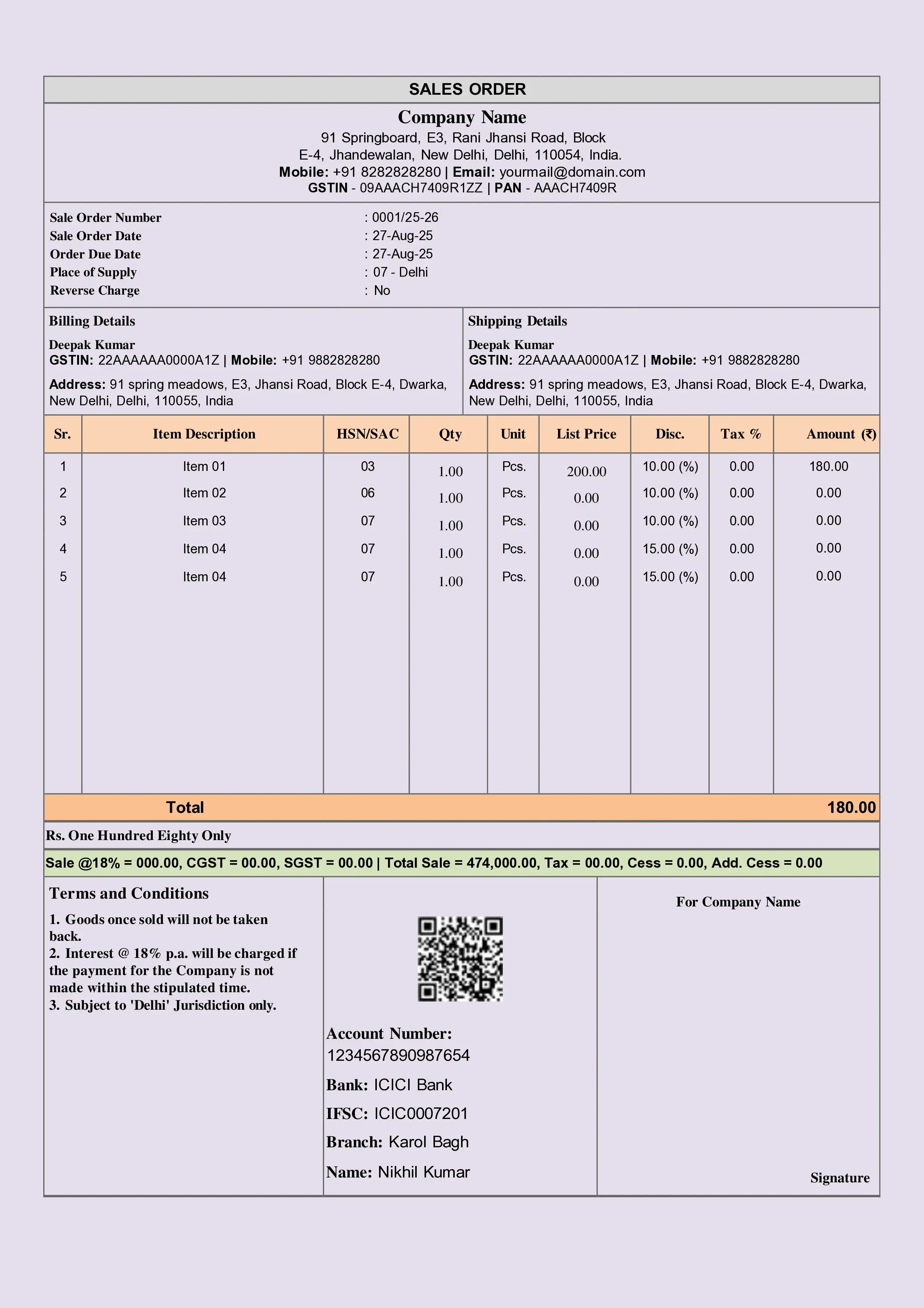
Download Free Sales Order Format in Word, Excel, or PDF. Customize it as per your requirement with zero cost.
Mandatory Fields in Sales Order Format
Sales Order Number and Date
Helps track and reference the order across departments.
Common Mistake: Using manual or duplicate order numbers.
Impact: Confusion in dispatch and billing.
Seller Details
Business name, address, and contact details.
Common Mistake: Missing business details.
Impact: Poor documentation and audit issues.
Customer Details
Customer name, address, and contact number.
Common Mistake: Using short names or codes.
Impact: Delivery and follow-up issues.
Item or Service Description
Clear product or service details.
Common Mistake: Vague descriptions.
Impact: Wrong goods dispatched.
Quantity and Rate
Confirms the approved quantity and price.
Common Mistake: Changing rates later without revision.
Impact: Customer disputes.
Delivery Schedule
Expected delivery date or timeline.
Common Mistake: Not mentioning delivery terms.
Impact: Order delay complaints.
Payment Terms
Credit period, advance, or milestone payments.
Common Mistake: No payment terms mentioned.
Impact: Delays in payment collections.
Order Status or Approval
Confirmation note or signature.
Common Mistake: No approval reference.
Impact: Order cancellation risks.
Sample Sales Order Format
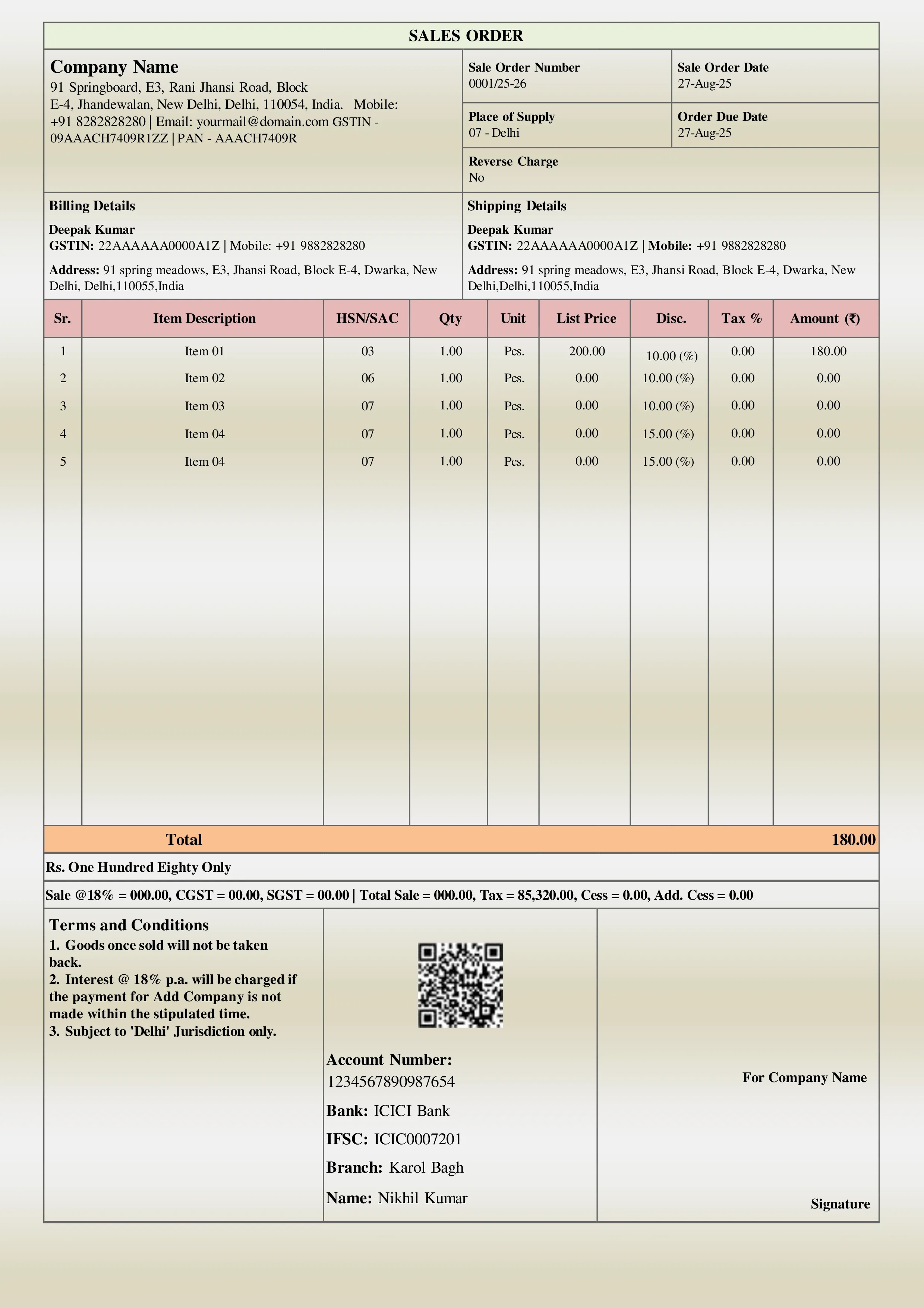
A standard sales order format sample starts with seller and customer details at the top, followed by sales order number and date. The middle section contains a table with item descriptions, quantities, rates, and total values. The delivery schedule and payment terms are listed below the table. Many SMEs use a sales order format in Excel or PDF, or even a printed sales order book for basic operations.
Common Mistakes SMEs Make in Sales Order Formats
- Skipping the sales order and directly raising an invoice
- No linkage between quotation and sales order
- Manual errors in quantity or rate
- No revision when the customer changes the order
- Using informal confirmation instead of a document
How to Create a Sales Order Easily?
Small businesses often rely on a sales order template in Word or an Excel sales order template. While these templates work initially, they require manual control and frequent corrections. Accounting and billing software simplifies this by converting quotations into sales orders, linking them to delivery challans and invoices, and automatically tracking order status. BUSY helps SMEs manage sales orders accurately without manual follow-ups or errors.
Conclusion
A proper sales order format brings discipline to sales, dispatch, and billing by avoiding confusion, improving customer trust, and ensuring smooth order fulfilment. For growing SMEs, using structured formats and software like BUSY makes sales order management simple, accurate, and stress-free while maintaining business control.
Explore Accounting & Billing Software for Small Businesses
Frequently Asked Questions
-
Is a sales order mandatory for every sale?
It is not legally mandatory, but it is highly recommended for control and clarity.
-
Can an invoice be raised without a sales order?
Yes, but it increases the chances of mistakes and disputes.
-
Can a sales order be changed later?
Yes, but changes should be documented through a revised sales order.
-
Is GST shown in the sales order?
GST may be shown for clarity, but tax liability arises only at the invoice stage.
-
What is the difference between a quotation and a sales order?
A quotation is an offer. A sales order confirms the accepted terms.