Ledger Format Sample, Structure, and Correct Usage for Businesses
Many small businesses record sales and expenses, but still struggle to understand where money is actually coming from or going out. This usually happens due to improper or incomplete ledger maintenance. A correct ledger format helps clearly track party balances, cash flow, and profit. Incorrect entries, missing dates, or mixed transactions often lead to account mismatches and confusion during GST filing or audits. In this guide, you will learn what a ledger is, how to use the right format, common mistakes SMEs make, and how to maintain ledgers accurately.
Download Ledger FormatWhat is Ledger and When Is It Used?
A ledger is a detailed record of all financial transactions related to a specific account. This could be a customer, supplier, cash, bank, or expense account. Businesses use a ledger to understand balances, outstanding amounts, and transaction history. For example, a customer ledger shows how much a customer owes you or how much advance you have received. Unlike a journal, which records transactions chronologically, a ledger organises them account-wise for clarity and control.
Download free Ledger Format in Word, Excel, or PDF. Customize it as per your requirement with zero cost.
Ledger Format-1
Ledger Format-1
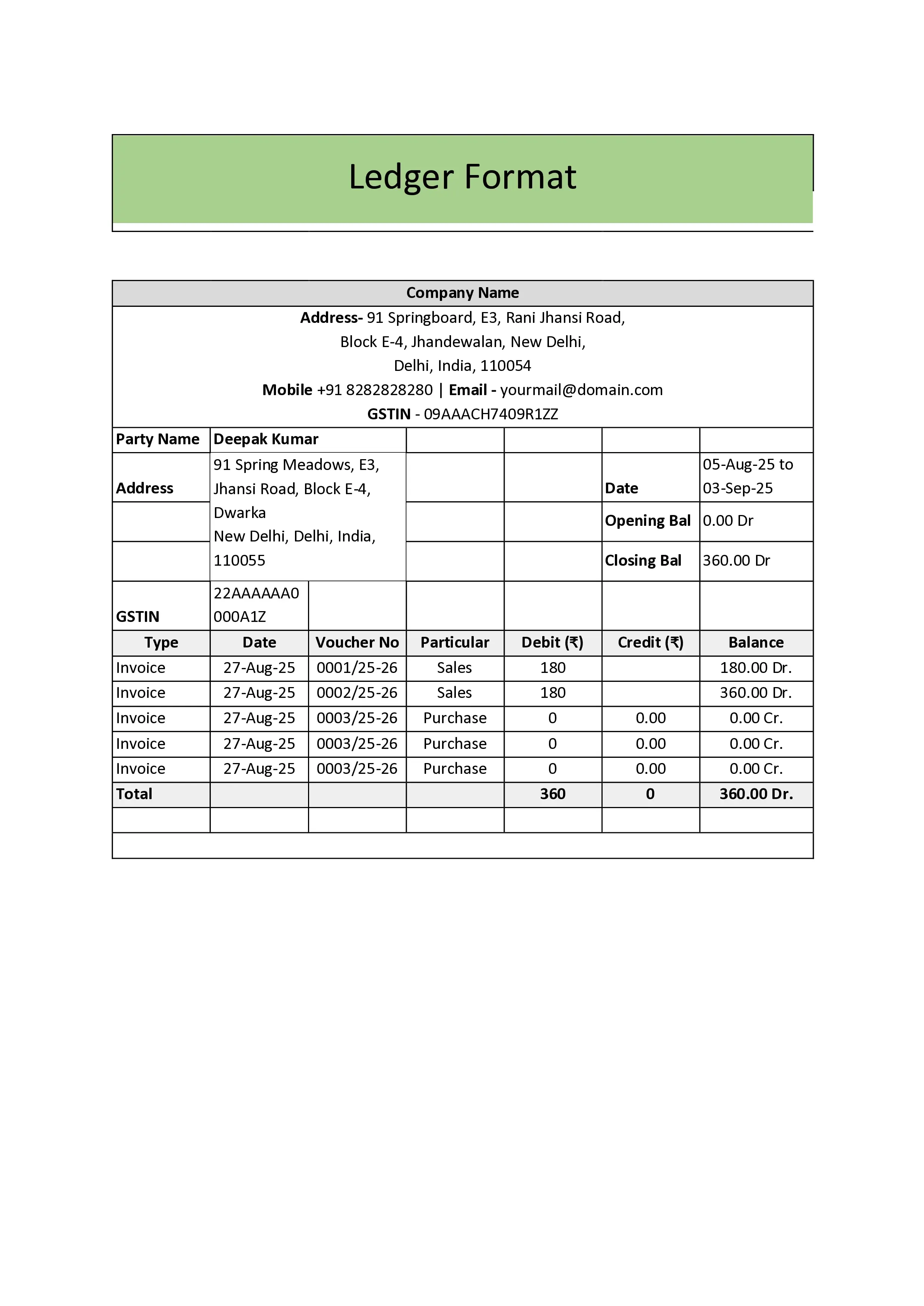
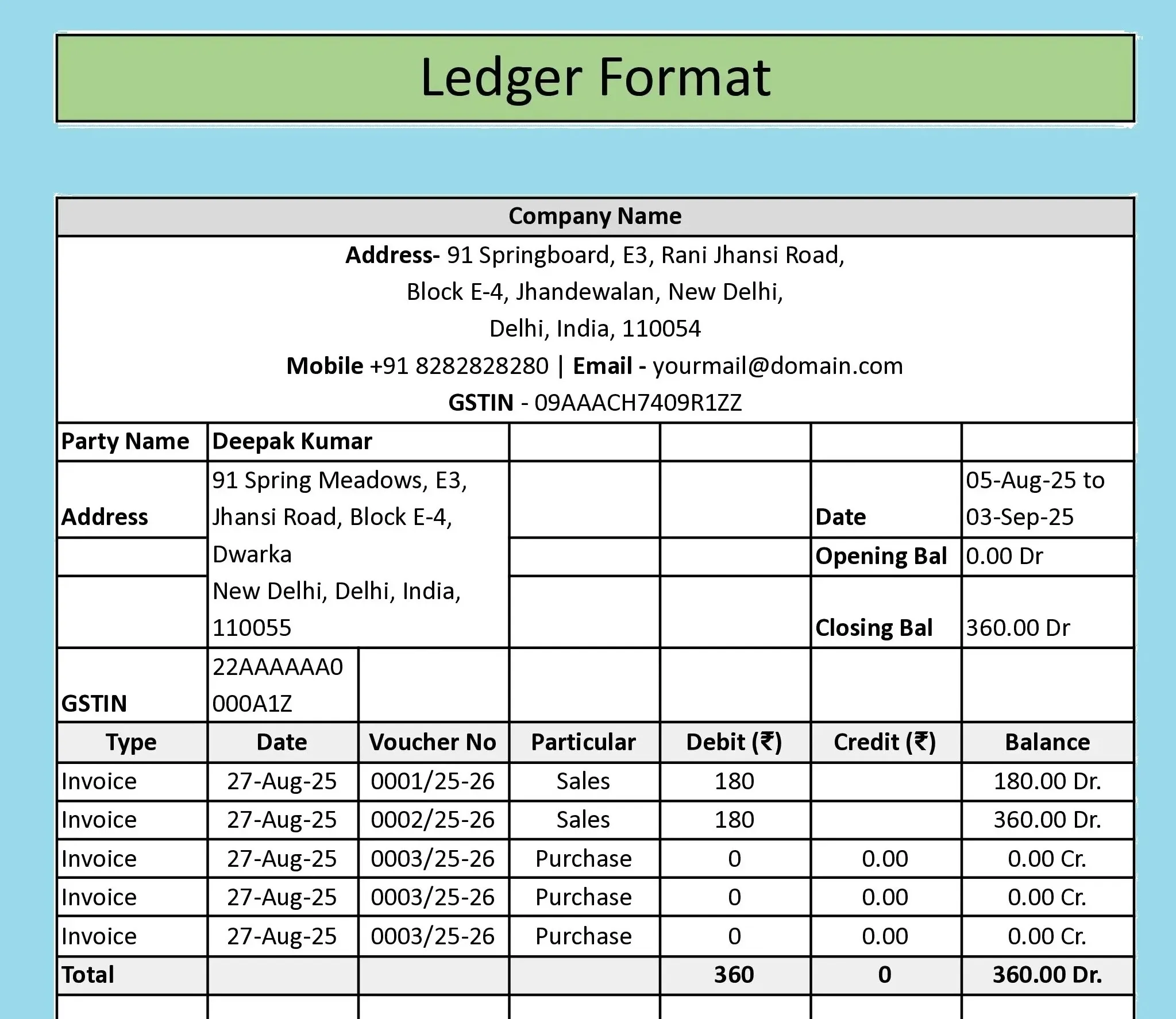
A ledger format for maintaining party-wise records of all debit and credit transactions for customers, suppliers, banks, and expense accounts. Each entry shows date, narration, debit, credit, and running balance for easy tracking of dues and settlements. Download in Word, Excel and PDF.
Mandatory Fields in Ledger Format
| Field | Details | Common Mistake | Impact |
|---|---|---|---|
| Date | Shows when the transaction happened. | Posting entries without the actual transaction date. | Wrong balances and reporting errors. |
| Particulars | Includes details of the transaction, such as the invoice number, payment reference, or narration. | Writing vague terms like “sale” or “payment”. | Difficult to trace transactions later. |
| Voucher Type and Number | Helps identify whether the entry is from a sales invoice, receipt, or payment. | Skipping voucher reference. | Audit and reconciliation problems. |
| Debit Amount | Shows money received or expense incurred, depending on the ledger type. | Entering debit and credit in the wrong column. | Incorrect ledger balance. |
| Credit Amount | Shows money paid or income earned, depending on the ledger. | Mixing up debit and credit logic. | Misleading financial position. |
| Balance | Displays running balance after each entry. | Not maintaining a running balance. | No clarity on outstanding or available funds. |
Sample Ledger Format
A standard ledger account format is typically presented in table form, with columns for date, particulars, voucher reference, debit, credit, and balance. In practice, SMEs commonly maintain separate ledgers, such as a cash ledger, a bank ledger, and a customer or party ledger. A sample of the general ledger combines all individual ledgers to show the business's overall financial position.
In digital accounting, this same structure is used in tools such as Excel and accounting software, which simplify sorting, searching, and comparing financial information.
Common Mistakes SMEs Make in Ledger Formats
- Mixing personal and business transactions in one ledger
- Not updating ledgers regularly
- Wrong debit and credit entries
- No separate customer ledger format
- Manual calculation errors in Excel
These mistakes often result in wrong profit figures, payment follow-up issues, and GST reconciliation problems.
How to Create Ledger Format Easily?
Maintaining ledgers manually in notebooks works only at a very small scale. Many businesses prefer ledger formats because they are ready-made templates, such as the account ledger template in Excel or the general ledger Excel template. Accounting software simplifies this by auto-posting entries, maintaining the customer ledgers, and generating reports instantly. Software like BUSY helps businesses manage party and cash ledgers and customer balances accurately, reducing manual errors.
Conclusion
A proper ledger format is the backbone of accurate accounting. It provides clarity on customer balances, cash position, and business performance. When maintained correctly, it reduces confusion, prevents errors, and supports compliance. Using digital tools like BUSY enables SMEs to automate data entry, minimise manual mistakes, access real-time reports, and quickly reconcile accounts, helping them maintain clean, up-to-date ledgers, gain peace of mind, and exercise better control over their finances.
Manage Your Ledger Easily with BUSY Accounting Software
Lightning-Fast Billing with Barcode scanning
Auto E-Way Bill & E-Invoicing
Mobile App
Complete Accounting
Advanced Inventory Management
Auto Payment Reminders
1-Click GST Filing & Reconciliation
24*7 support