WhatsApp Billing in BUSY: How to Share Invoice Links on WhatsApp
WhatsApp Billing allows businesses to share invoices directly with customers through WhatsApp after generating a bill. Instead of downloading, printing, or manually attaching invoice files, businesses can send invoice links instantly and let customers access their bills anytime.
Share Bills Faster on WhatsApp.
Send invoice links without downloading or attaching files.
Trusted by Businesses, Rated by Experts


How BUSY Simplifies Invoice Sharing
Share Invoices Directly Through WhatsApp
Send Digital Bills in Just a Few Clicks
Improve Customer Communication with Instant Sharing
Reduce Dependence on Paper Invoices
How to Share Invoice Links on WhatsApp in BUSY
Step 1: Configure WhatsApp Messaging
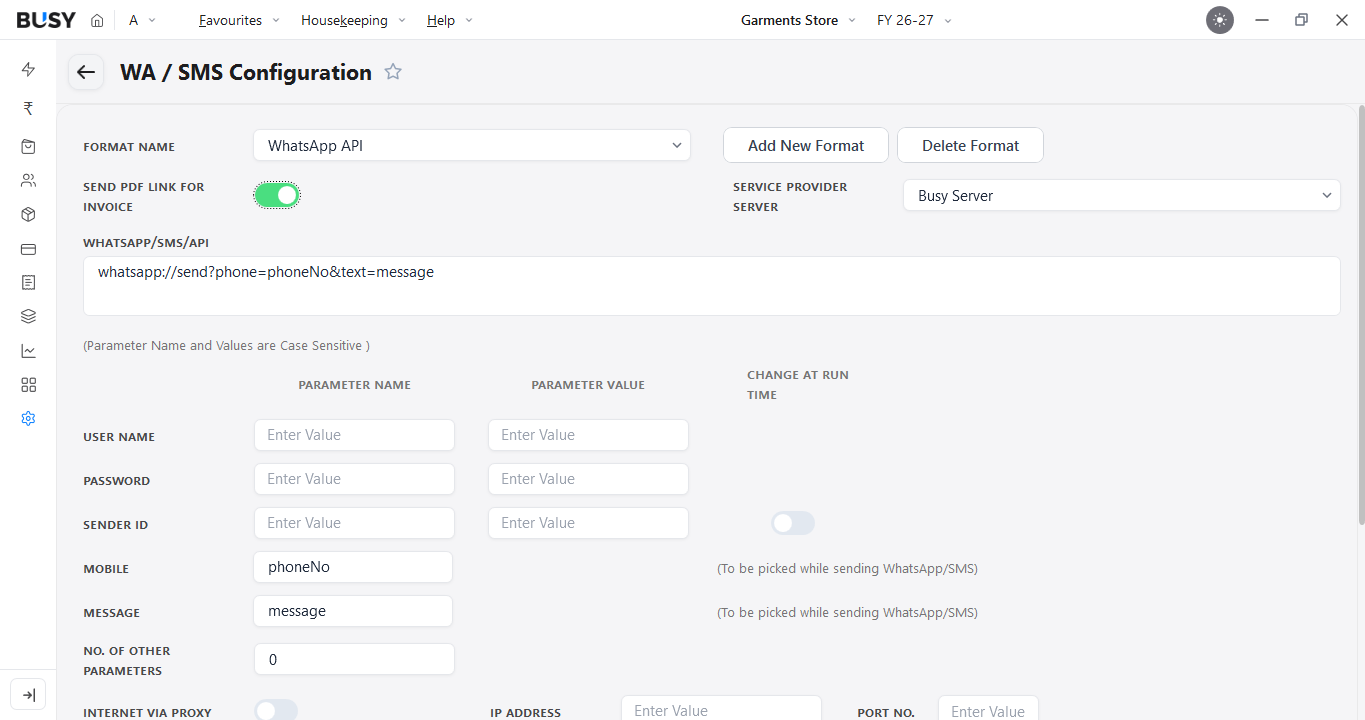
Create or open the company in BUSY and go to Settings > WA/SMS Configuration > Format Name. Then select WhatsApp API from the drop-down menu.
If you also want to share PDF links for invoices or documents, enable Sent PDF Link for Invoice and click Save.
Step 2: Enable WhatsApp Messaging for Sales Invoices
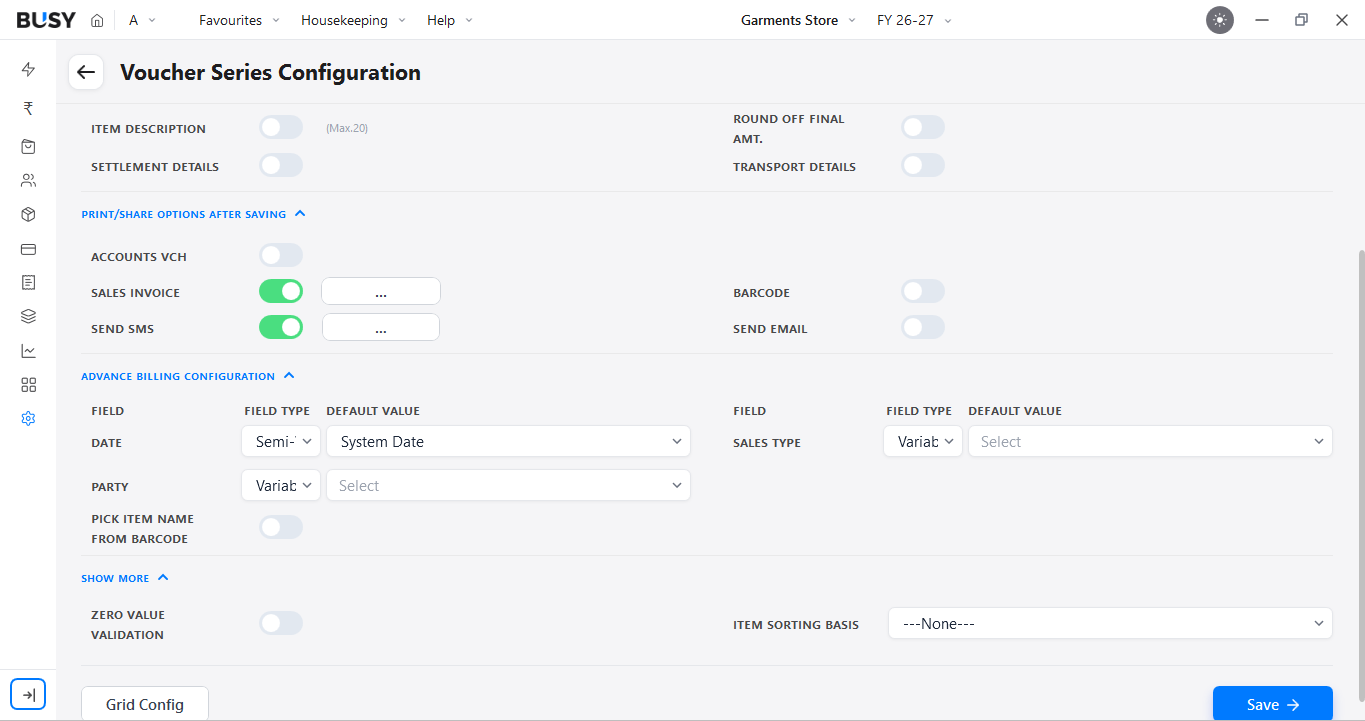
Go to Settings > Series Configuration > Vch Series Configuration. Select the required Sales Series, then open Voucher Configuration from the Main menu. Enable Send SMS here.
Step 3: Configure Message Settings
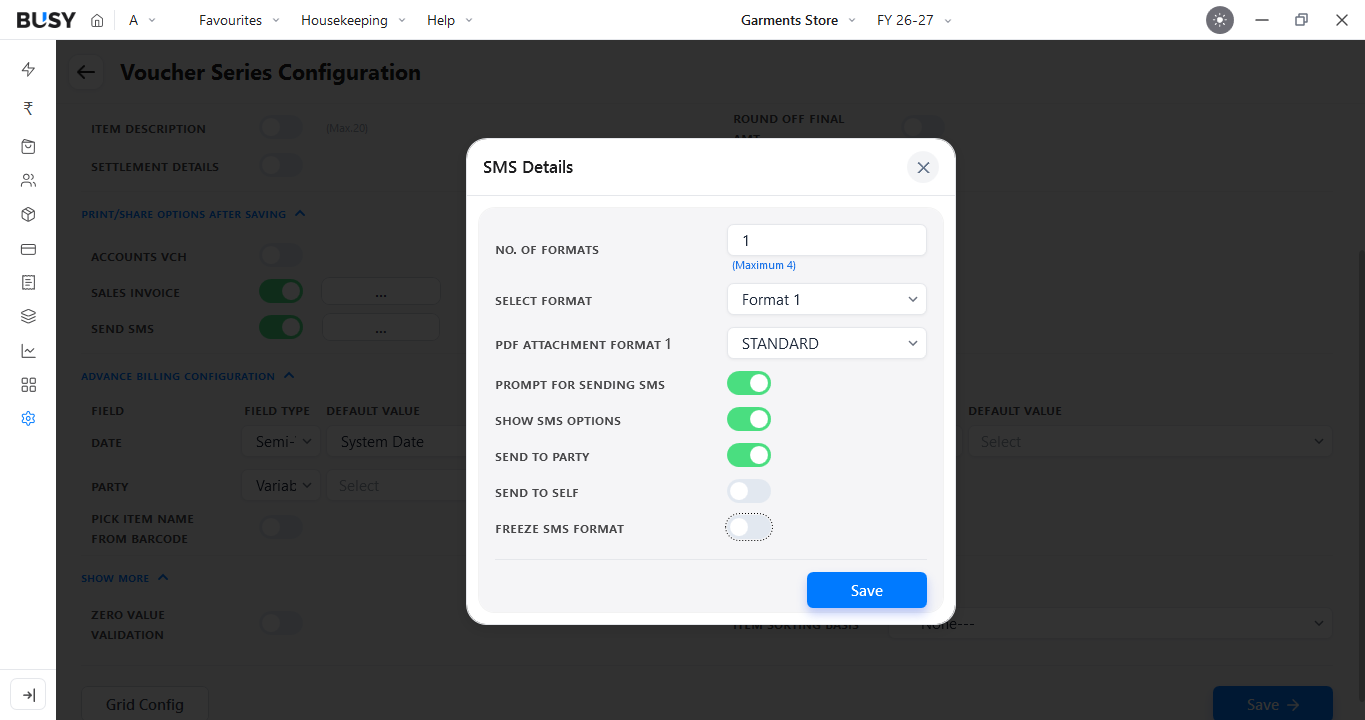
Click the three-dot menu next to Send SMS and select the required PDF attachment format. Enable Prompt For Sending SMS, then click Save.
Step 4: Create and Save the Invoice
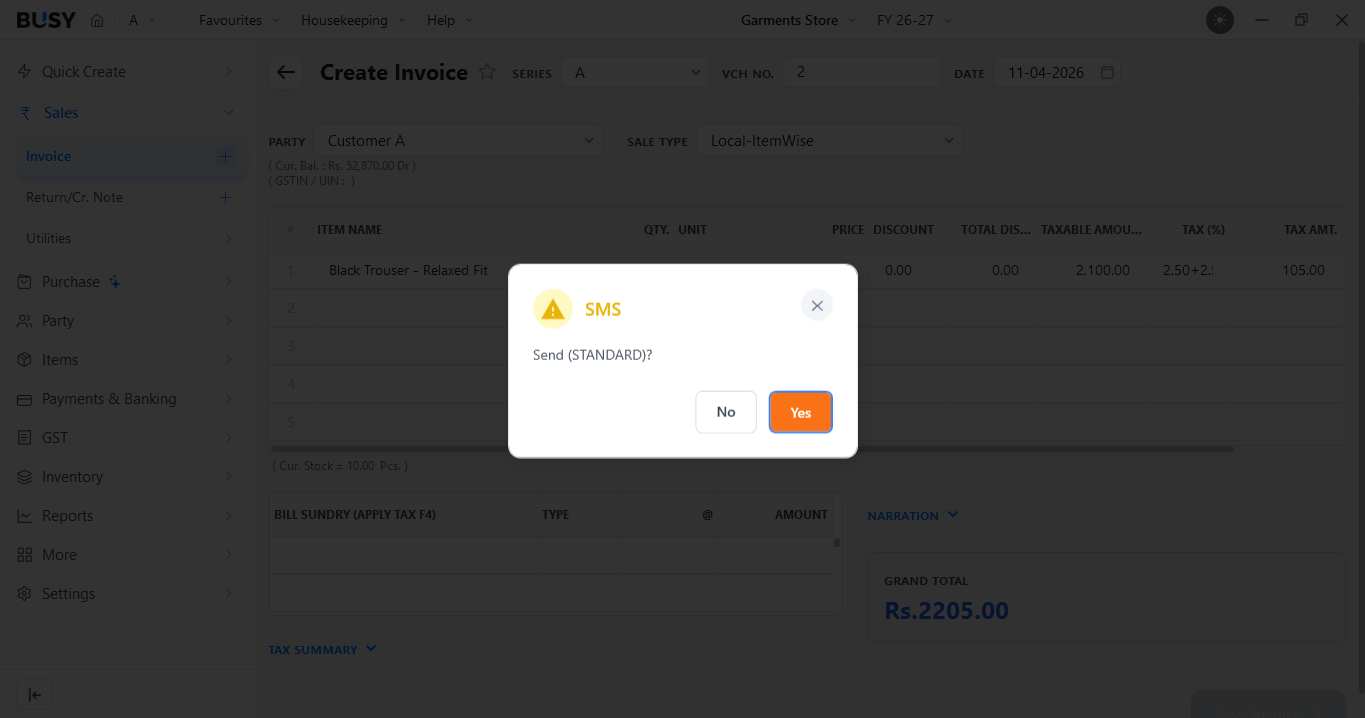
Create the sales invoice and Save the voucher. A Print Document pop-up will appear. After this, BUSY will display a prompt for sending the message. Click Yes to continue.
Step 5: Review the WhatsApp Message
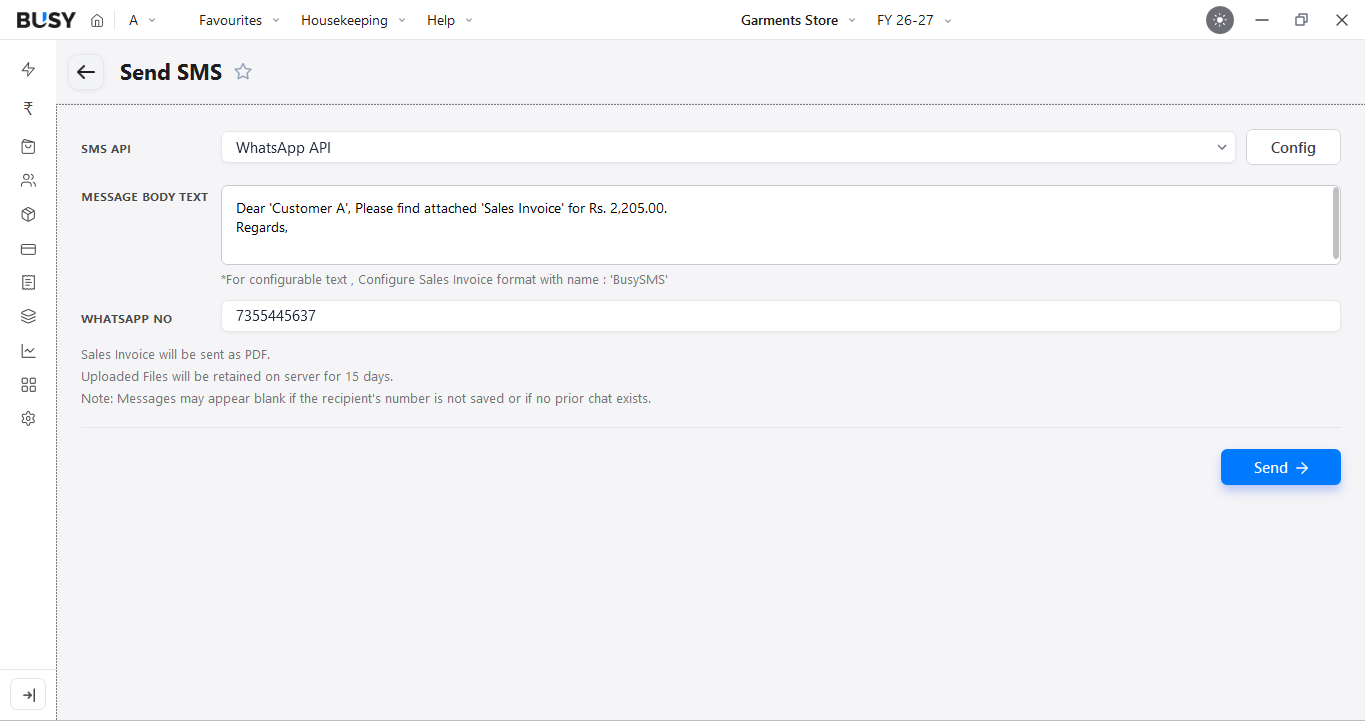
A new window will open. From the SMS API drop-down menu, select WhatsApp API. You can also edit the Message Body Text before sending the invoice.
If the customer's WhatsApp number is already available in the party master, BUSY will fetch it automatically. Otherwise, you can enter the number manually.
Step 6: Send the Invoice Link
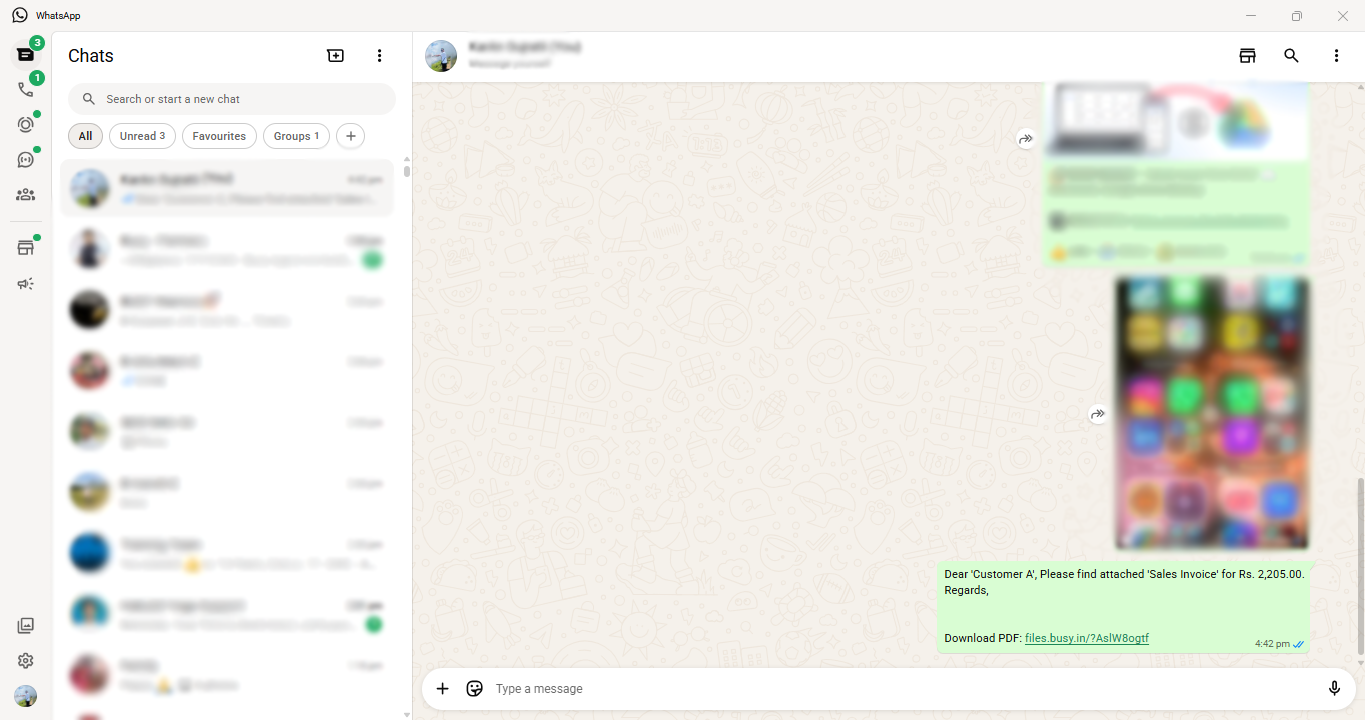
After reviewing the message and customer number, click Send. WhatsApp Desktop will open with the prepared message. Click Send in WhatsApp to share it with the customer.
The message will include a link to the invoice PDF. The customer can use the link to preview or download the invoice.
What Our Customers Say
Real experiences from businesses across India.
Flexible Plans for Every Business
Paid plans start at just ₹5,000/year. Whatever your size, from small business to scaling enterprise, there's a BUSY plan built for you, so pick what you need today and upgrade anytime.
Enjoy More Accounting Benefits With BUSY
Free Mobile App for access on the go
Complete control over the User Activity Log
Auto-Backup through Google Drive